How to live stream on a Gaming PC?
Desktops
Do you find it difficult to set up a Gaming PC to livestream? Or feel trouble finding suitable devices for live streaming? We will guide you to use the AI-enhanced feature to make your live streaming vivid and fun. Also, you can easily pick up the proper devices to start your live-stream career. Check the MSI Gaming PC live stream tutorial in the article for a detailed introduction.
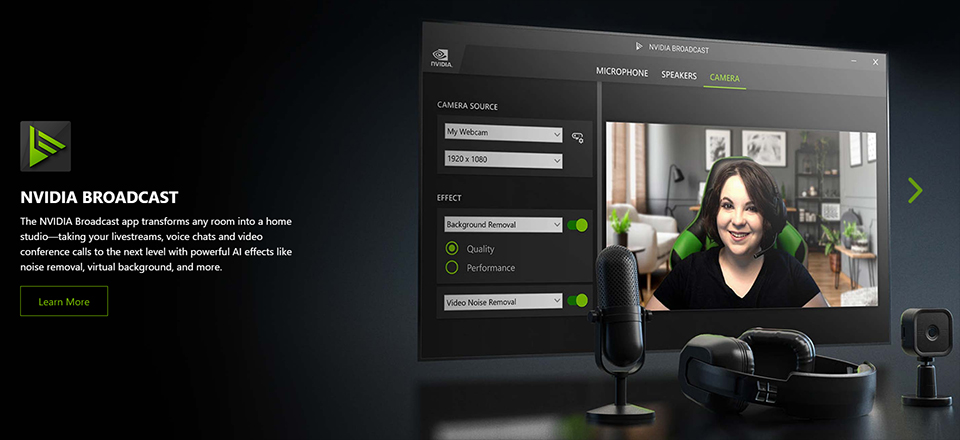
Use NVIDIA Broadcast App to enhance camera and microphone functions.
NVIDIA supports a series of AI-enhanced technology that can easily build up your video studio. In general, you could need people to assist with live streaming such photographer, video editor, or a gaffer. But with NVIDIA Broadcast app support, we can charge those tasks on our own to save time and resources. For example, Background blur, Background replacement, and Background removal are great functions that can help to customize your personal style background.
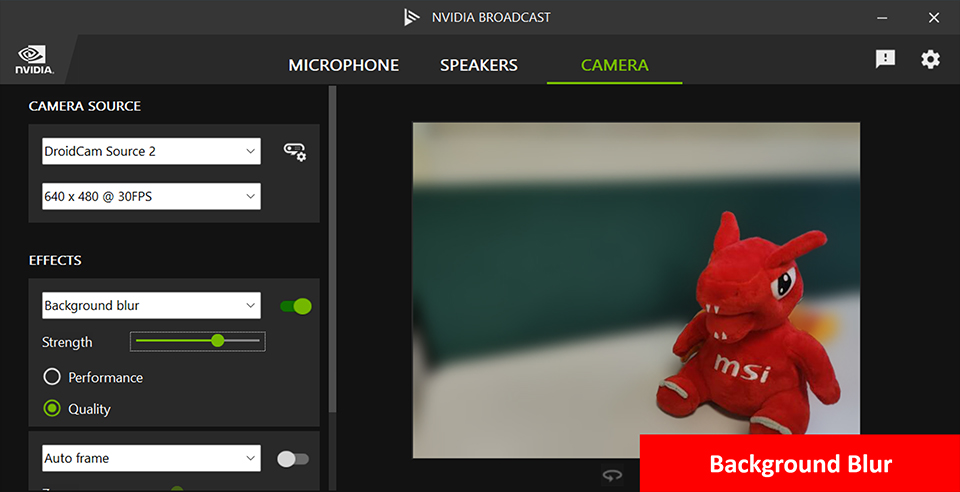
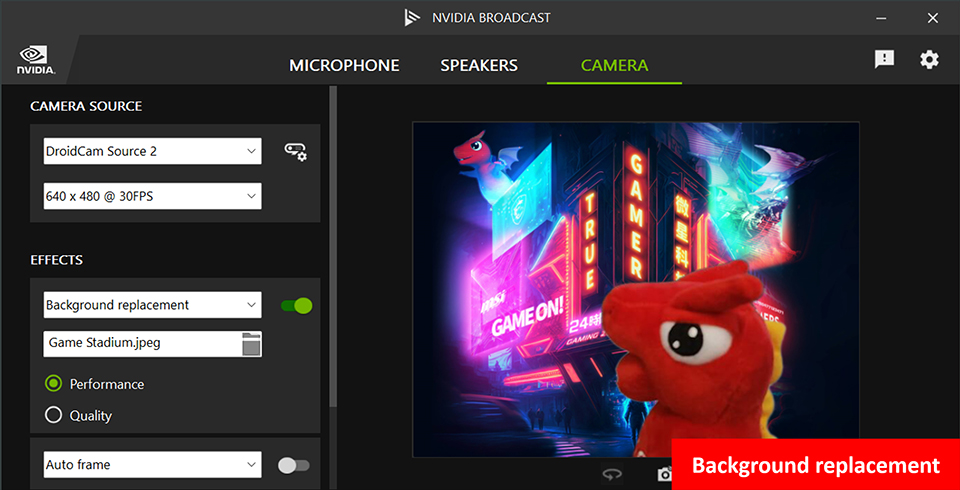
You don’t need to do additional video process, just a few clicks then the NVIDIA Broadcast app can quickly remove the background, replace the background image you want, or blur.
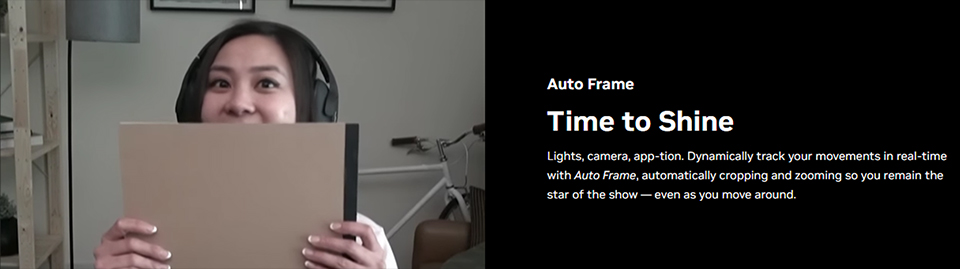
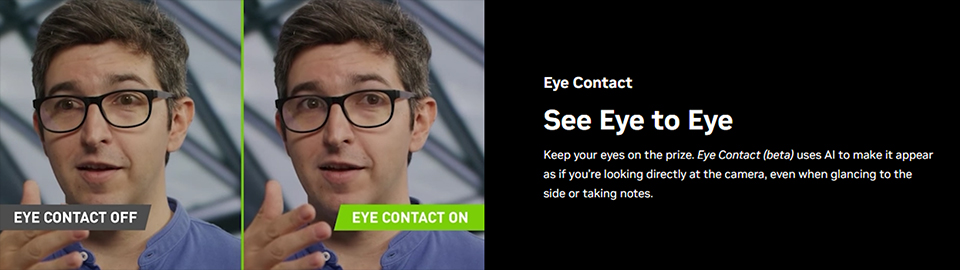
When you want to shoot a presentation or speech, you need a photographer to take the camera tracking you. Otherwise, you could have to set up a fixed position to present but it will lessen the variability of the presentation. NVIDIA broadcast app’s Auto Frame can be your photographer. When the function is activated, the camera will keep the autofocus on you without losing the target. Moreover, NVIDIA broadcast app’s Eye Contact is another great feature for users who can read the manuscript directly without discovery. With AI-enhanced help, it can simulate your eyes sight looking like staring at the audience not sneaking your paper.
Let’s use Voicemod to make your livestream channel more vivid and fun!
MSI collaborates with Voicemod and makes voice and light displays together creating another fantastic atmosphere. Voicemod can change the user’s voice with AI technology and then combine it with the MSI Mystic Light App. When the user speaks, the PC RGB LED will turn to various light modes. It makes your speaking interesting. Now, you can get more Voicemode PRO functions. Such as a monster, robot, or baby voice. Just register the product then you have a free upgrade version of Voicemode PRO for 30 days. Let’s make your livestream channel more popular and attract more fans!
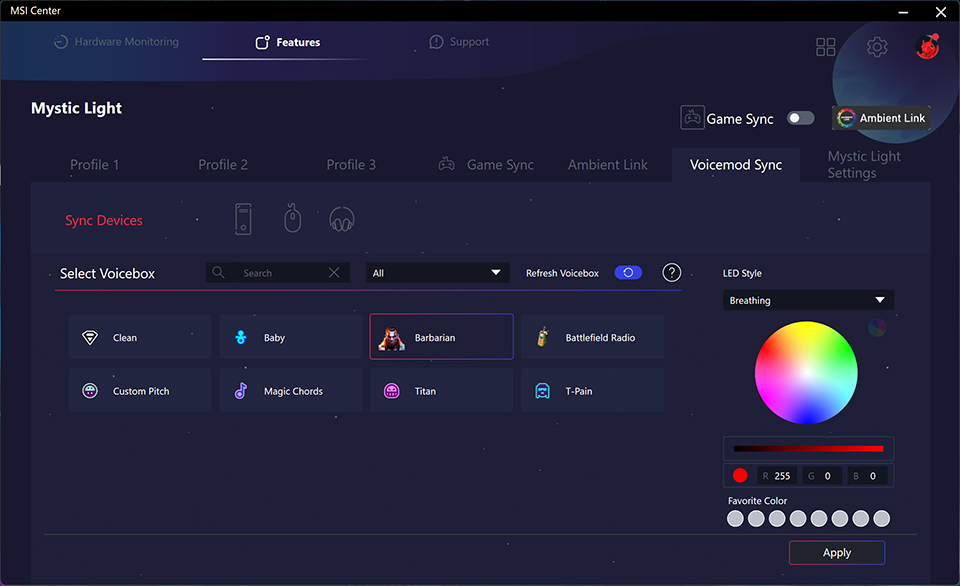
Mystic light can sync with Voicemod and then make the live stream more fun with LED light.
For more about MSI x Voicemod events details, please check the below link. https://www.msi.com/Landing/voicemod-pro-free-trial
Do you have trouble to pick up a live stream system? MSI can help.
MSI desktop PC based on Intel Core 14th Gen Processor and NVIDIA GeForce RTX™ 40 series graphics card to build up. It offers the stable and high-performance ability for multiusage, for example, gaming, creation, entertainment even AI computing. NVIDIA Broadcast App already tested and built-in the desktop PC which can reduce compatibility issues. So you don’t need to worry about hardware and software issues on the live stream. Just select the desktop PC and start your live-stream career.
if you are interested in playing different games on MSI gaming desktops and monitors, you can visit our website to find a suitable setup. Select the game you want to play, and your preferred monitor size and resolution, and the system will show you how the game performs.
Game Benchmark: Link

MSI GeForce RTX™ 40 Series Graphics Card Gaming Desktop List
MEG Trident X2 14th: https://www.msi.com/Desktop/MEG-Trident-X2-14th
MPG Infinite X2 14th: https://www.msi.com/Desktop/MPG-Infinite-X2-14th
MPG Trident AS 14th: https://www.msi.com/Desktop/MPG-Trident-AS-14th
MAG Infinite S3 14th: https://www.msi.com/Desktop/MAG-Infinite-S3-14th
MAG Codex 6 14th: https://www.msi.com/Desktop/MAG-Codex-6-14th
MEG Trident X2 14th: https://www.msi.com/Desktop/MEG-Trident-X2-14th
MPG Infinite X2 14th: https://www.msi.com/Desktop/MPG-Infinite-X2-14th
MPG Trident AS 14th: https://www.msi.com/Desktop/MPG-Trident-AS-14th
MAG Infinite S3 14th: https://www.msi.com/Desktop/MAG-Infinite-S3-14th
MAG Codex 6 14th: https://www.msi.com/Desktop/MAG-Codex-6-14th